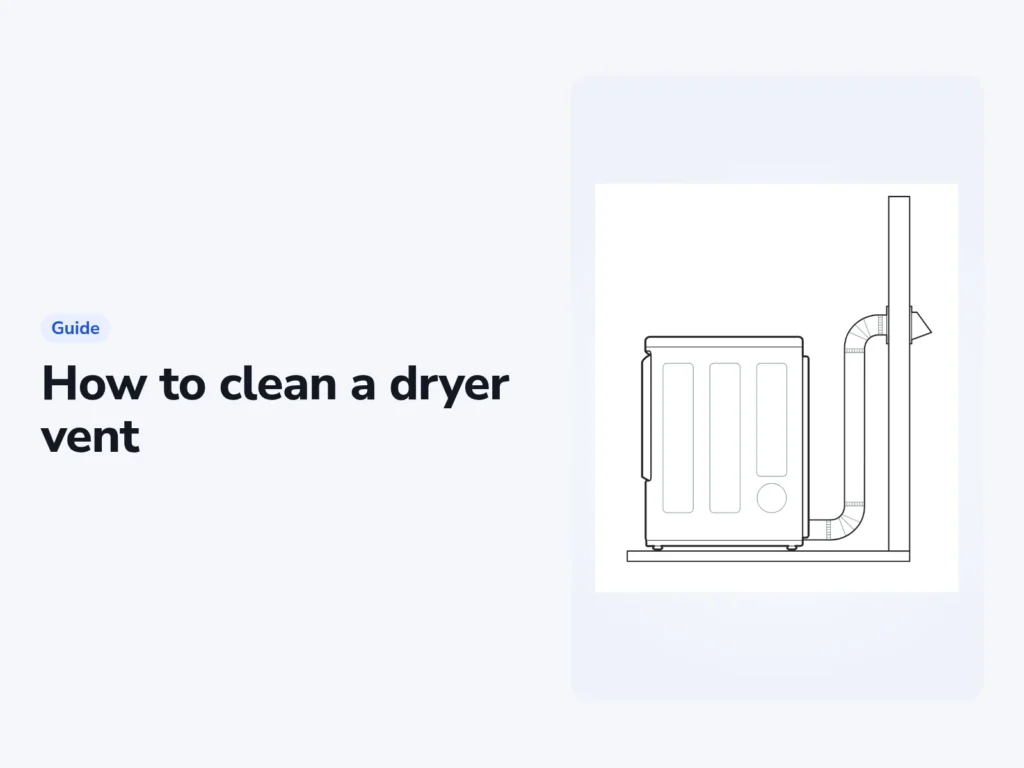
If loads that used to dry in one cycle now need two, check the exhaust path. A blocked vent is one possible cause. The LG DLE3400W manual provides the model-specific limits and test below, and Whirlpool’s cleaning guide explains the accessible-duct cleaning process. Gas dryers, hardwired appliances and inaccessible runs need qualified help. Keep the manual for your exact dryer beside you.
A federal study of home dryer fires from 2008 to 2010 found that failure to clean was the leading factor, behind about a third of them. The study, by the U.S. Fire Administration, also found the fires were most common in January.
Tools for the job
- A dryer vent brush kit on rods long enough to reach the outside hood
- A vacuum with a hose and a crevice tool
- A screwdriver for the duct clamps
- A second person to move the dryer
- Your dryer’s manual, open at its venting chart
- A new metal duct, if the one behind the dryer is plastic or thin foil
Check the outside hood before cleaning
Look for lint, nesting material or a damaged flap at the outside hood. With the vent connected, follow the model’s permitted airflow or installation check. LG instructs owners to check for strong airflow and a properly opening hood. Stop using a dryer that reports a severe restriction until the exhaust has been cleaned or repaired.
Clean the lint screen and its slot
LG requires lint removal after every cycle. A filter clogged with fabric-softener residue can restrict airflow even after the loose lint has been removed.
- Pull the screen out and roll the lint off with your fingers. Don’t rinse the lint off, because wet lint is hard to remove.
- Check the filter for residue as well as loose lint.
- If the filter is very dirty or clogged with fabric softener, wash it in warm, soapy water as LG instructs.
- Allow the filter to dry thoroughly before reinstalling it.
- Vacuum the slot the screen fits into, gently, to lift out lint that got past it.
Never run the dryer without its lint filter in place. Reinstall a washed filter only after it has dried thoroughly.
Leave cleaning inside the appliance cabinet to a qualified service technician. Removing the vent hose does not make internal electrical or gas components safe to service.
Pull the dryer out and disconnect the duct
- Unplug the dryer. If it’s wired in with no plug, switch it off at the breaker.
- With your helper, move the dryer about a foot from the wall.
- Loosen the clamp or remove the tape that holds the duct to the back of the dryer, and pull the duct off the outlet.
For a gas dryer, book a qualified technician before moving it or disturbing the gas connection. Do not disconnect or cap a gas line as a routine DIY cleaning step. If you smell gas, leave the area without operating switches or a phone, then call the gas supplier from outside. Call the fire department if you cannot reach the supplier.
Brush the duct from both ends
- Run the brush into the duct from the dryer end, as far as it reaches, and vacuum out the loose lint.
- Vacuum lint from the back of the dryer and around its exhaust outlet.
- Go outside and take the cover off the exhaust hood.
- Brush the duct from the hood end, then vacuum out what the brush pulls loose. Put the cover back on.
- Clear lint, leaves or a nest from the hood, and check that its flap swings freely.
- Check that the hood sits at least 12 inches above the ground and anything that could block it, such as shrubs, rocks or snow.
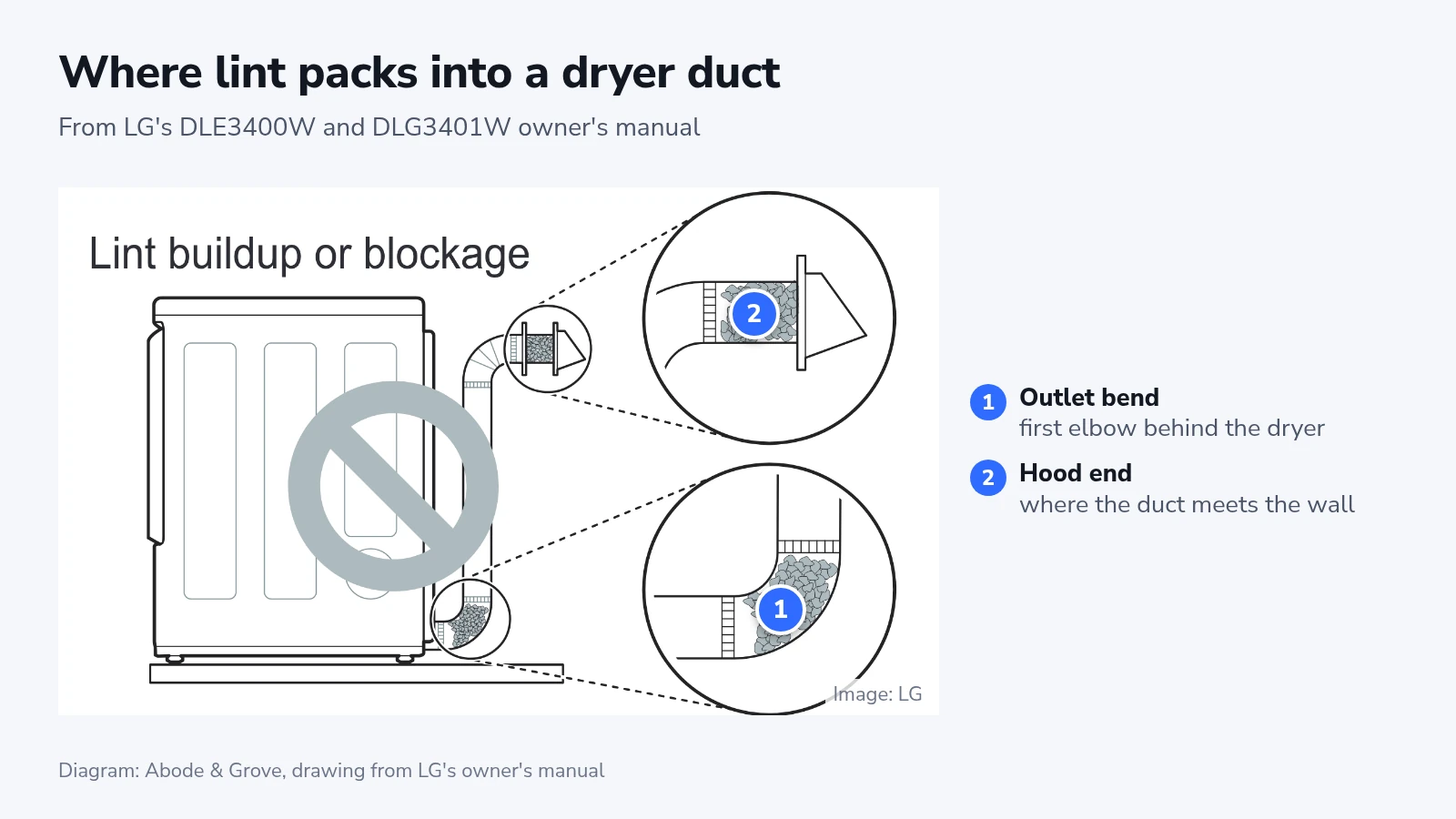
Give the first bend and the hood end the most passes with the brush. That’s where LG’s drawing shows lint packing in. Nests of small birds and other animals can block a vent too, according to the Fire Administration’s report.
If lint hides the duct’s inside lining, Samsung’s help page says to replace the duct instead of cleaning it.
Hire a vent cleaner if your brush can’t reach the whole run, say one that climbs through a ceiling or exits through the roof. Whirlpool and LG both recommend a professional for complicated runs and for ones that are too long or have too many bends.
Reconnect the duct without crushing it
Plastic and thin foil ducts don’t go back on. Both manuals rule them out, and Whirlpool explains that flexible materials like these collapse, crush easily and trap lint. Use rigid metal where the space allows, which Whirlpool recommends for the best drying.
For the LG models covered here, flexible metal transition duct must not exceed 8 feet and non-rigid duct must be UL-listed. Do not substitute this limit for another model’s installation instructions.
LG’s manual calls for taped joints and prohibits screws that protrude into the duct and catch lint. It also places the male end of each section away from the dryer. Follow the specified joining method for your model and use materials rated for dryer exhaust.
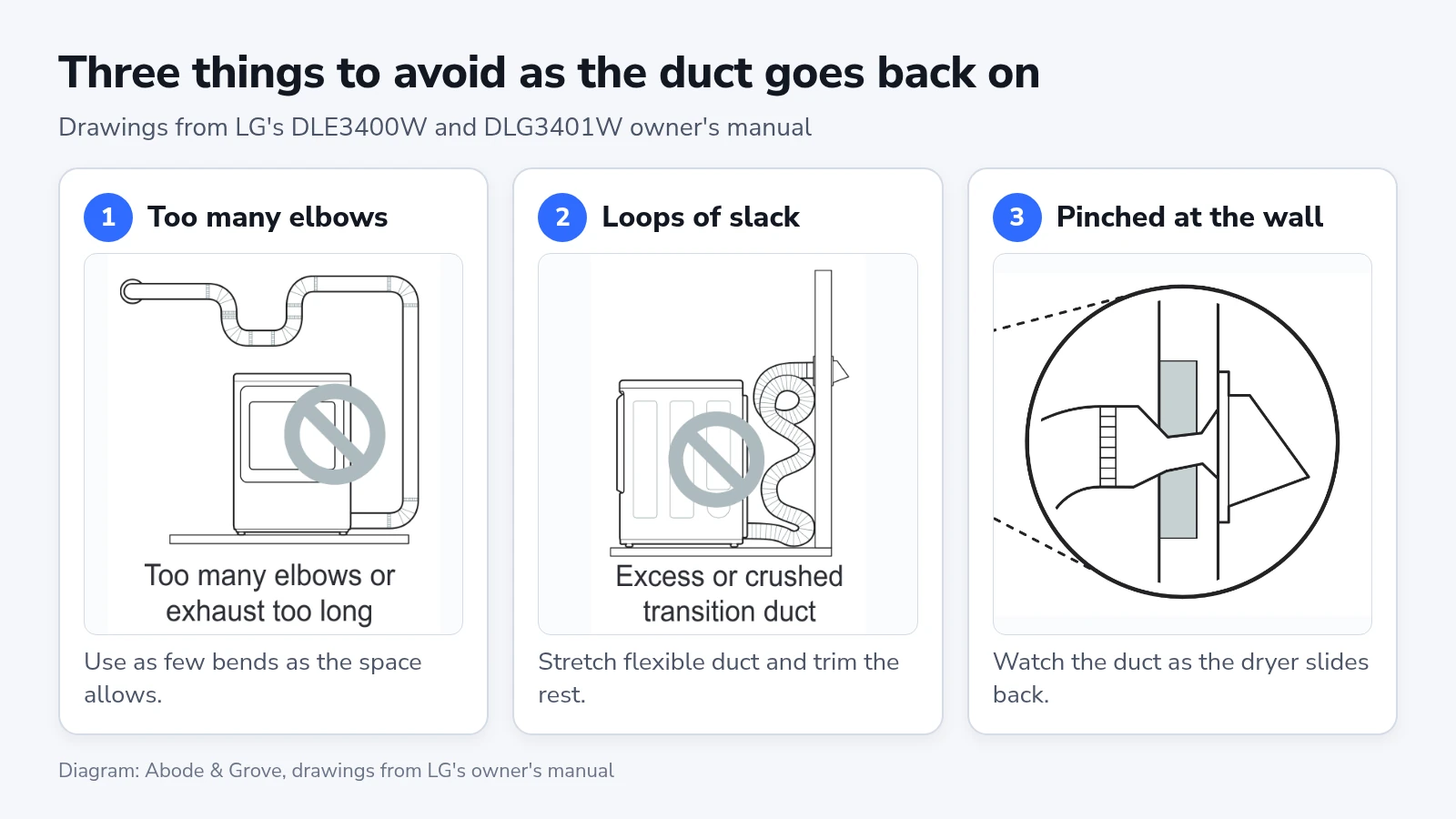
- Refit the duct to the dryer outlet and fasten each joint, using as few bends as the space allows.
- If the duct is flexible metal, stretch it fully and trim the rest, so no loops of slack sag behind the dryer.
- Slide the dryer back slowly while your helper watches the duct at the wall. It should stay round, not pinched flat.
- Plug the dryer back in, or switch the breaker on, and run it empty for 10 to 15 minutes.
- Check that the outside hood opens and airflow is strong. Stop and seek help if a restriction or warning remains.
What the vent warning on your dryer means
Dryers that sense a blocked vent show it differently by brand, and the makers don’t agree on how urgent it is.
| Dryer | What you see | What the maker says to do |
|---|---|---|
| LG with Flow Sense (DLE3400W, DLG3401W) | The “Flow Sense” indicator, or a code from d75 to d95 for 2 hours after the cycle | Don’t use the dryer until the exhaust is cleaned or repaired. |
| Samsung with a “Vent Check Sensor” icon | The icon lights at about 60 percent blocked and blinks for 3 hours above 80 percent | Clean the vent before any other troubleshooting. |
One row of LG’s manual says a “d80” after drying means the dryer can still be used, with longer drying times. The next row covers every code from d75 to d95 and says not to use the dryer until the exhaust is cleaned or repaired. We’d follow the stricter row, because it also calls running a severely restricted exhaust dangerous.
After cleaning or repair, follow the model’s reset and test instructions. Do not run repeated heated cycles through a vent that still appears restricted just to clear a warning. Contact LG or a venting specialist if the warning remains.
The DLE3400W and DLG3401W also have a built-in Duct Check. Run it with the dryer cool and empty, and if the dryer is warm, run “Air Dry” for a few minutes first.
- Press and hold “Signal” and “Temp.”, then press “Power”. On a glass touch panel, press “Power”, then immediately hold “Temp.” and “Wrinkle Care”.
- Check that the display shows “In”, then press “Start/Pause”.
- Watch the “Flow Sense” light until the test ends. If it stays off, the exhaust is adequate.
The manual adds that normal cycles read the duct more accurately than this test, so treat a clean result as a quick check.
Samsung explains its icon on its Canadian help page. The same page says some Samsung models turn the heater off when they sense a clogged vent. Check your own manual for a US model.
If drying is still slow
A run that is too long or has too many bends can restrict airflow even after cleaning. Compare the length and number of 90-degree turns with the chart for your exact dryer. These figures are from the LG DLE3400W/DLG3401W manual, for rigid metal duct and the stated hood opening.
| 90-degree turns | LG, rigid metal, 4-inch hood | LG, rigid metal, 2.5-inch hood |
|---|---|---|
| 0 | 65 feet | 55 feet |
| 1 | 55 feet | 47 feet |
| 2 | 47 feet | 41 feet |
| 3 | 36 feet | 30 feet |
| 4 | 28 feet | 22 feet |
The 2.5-inch figure describes the hood opening. LG allows that smaller opening only for short runs. These are model-specific limits, not universal permitted lengths.
If your run is over the limit, the fix is a shorter or straighter duct run. That’s work for a vent installer.
If a run within the length limit still gives weak airflow, have the full exhaust path checked. A hand test cannot identify every blockage or appliance fault. Whirlpool recommends a venting specialist when a Check Vent message persists.
How often to clean it
LG says to check the duct for lint every month and clean it at least once a year. Samsung’s help page says once or twice a year, and Whirlpool says at least every two years, more often with heavy use.
Set a cleaning reminder at least as often as the manufacturer requires, and inspect sooner when drying slows or a vent warning appears. Stop using a dryer that smells of burning and have the cause checked before restarting.
Clear the lint filter after every cycle. Wash residue from it when needed under the manual’s instructions, and dry it fully before reinstalling it. Keep snow and debris clear of the outside hood.